We had an application that has its environment configured via ‘system environment variables’. System environment variables differ from ‘user’ environment variables in that they are global so all users see them, and in a native Windows environment, they are stored in a different location; but still in the registry. So it seemed, like everything else App-V, these values would be captured (they are just registry values). Imagine our surprise when they were *not* captured.
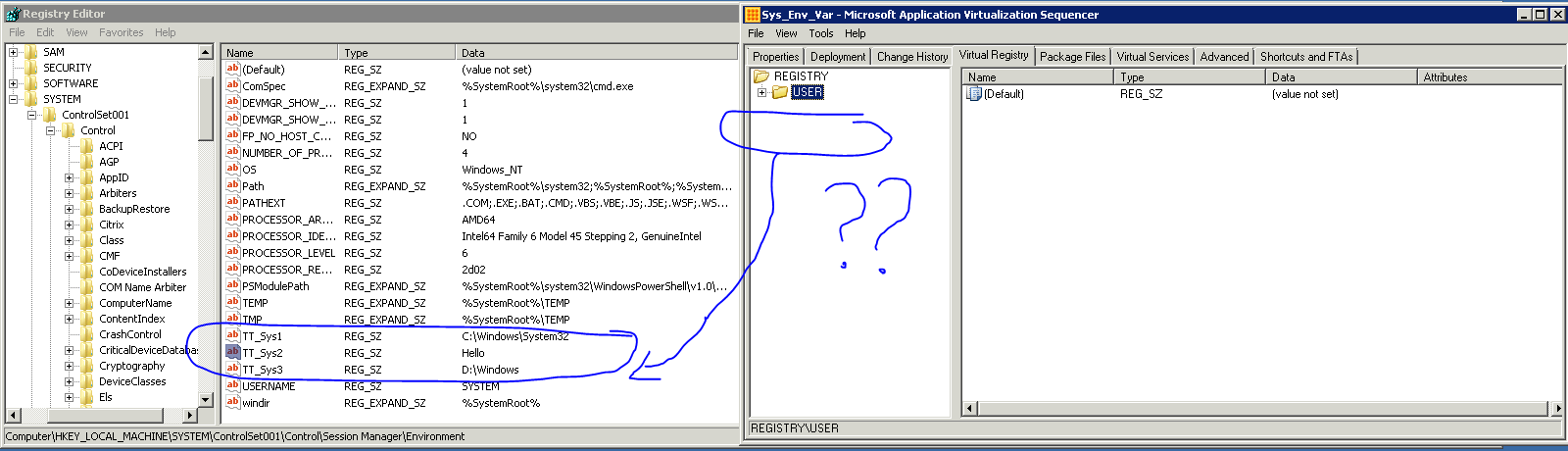
The tech who was working on this thought this must be a mistake, exported the registry keys he needed into a file and imported them into the package:
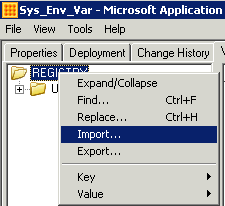
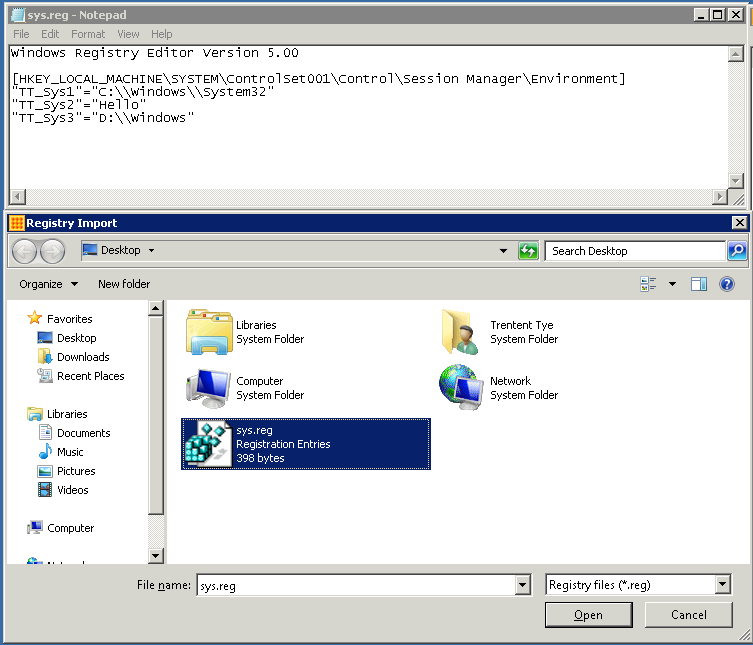
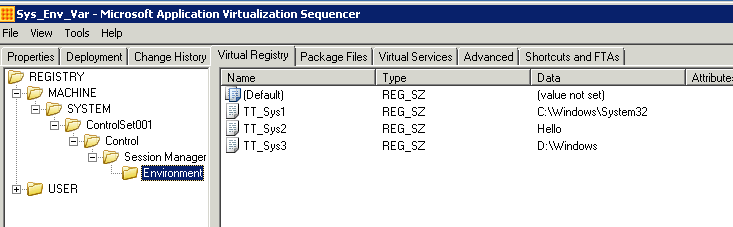
He created a startup script that would modify the environment variables to whatever environment the user wanted to launch (Test, Prod, Dev, etc.).
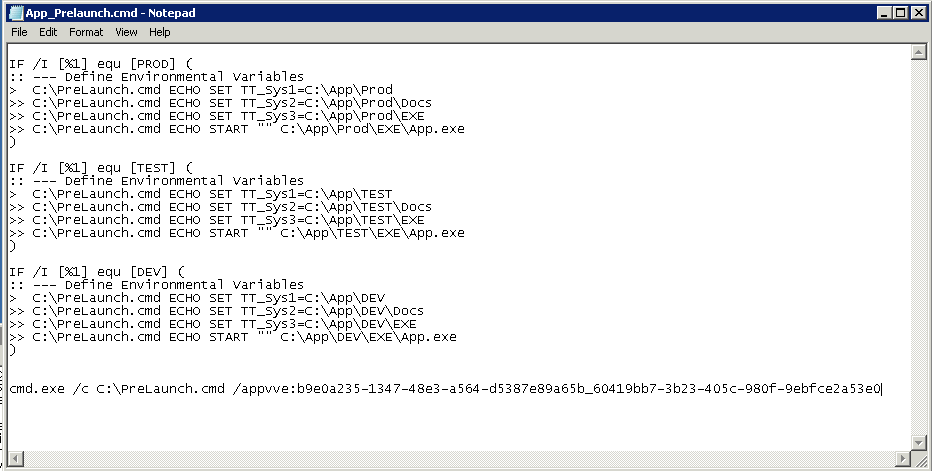
BUT, no matter what was set the application always launched with the parameters it was sequenced with. In this case it was always PROD. We would put a ‘SET’ or ECHO ‘%TT_SYS1%’ or some such into the batch file, after the ‘SET/SETX’ commands we could see the variables were different. They were what we expected them to be. But launching a new process with these changed variables resulted with the new process **inheriting the original environment variables. ** So it was always PROD. Now, these are SYSTEM environment variables and Microsoft released a utility, setx, which you can use to manipulate them. This utility still did not work as expected, the variables were not being retained by a child process.
“By default, a child process inherits the environment variables of its parent process.”
…
When this was brought to my attention I suggested we explore ‘Exporting the manifest and seeing what was stored there’. Changing the registry entries in the package did NOTHING. So I suspected they weren’t being used at all…
What we found is when we extracted the manifest file:
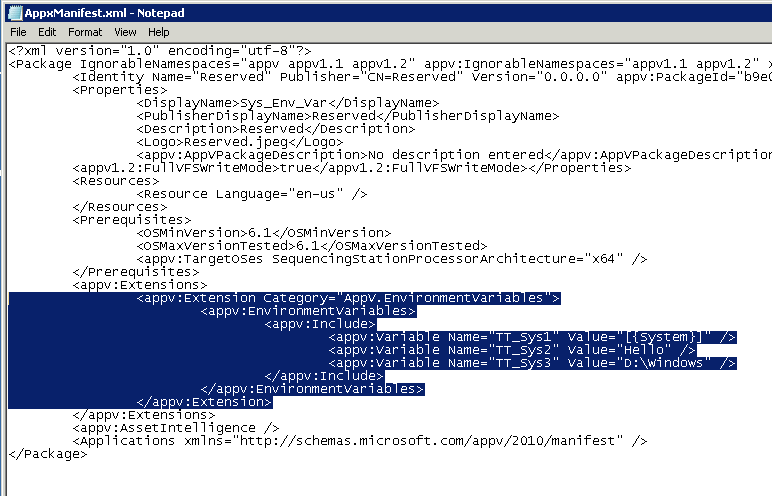
We saw where the environment variables where being stored. By deleting this section and reimporting the manifest file we found that we could set environment variables and they would correctly inherit from the parent process from then on. But if you do NOT delete this section of the Manifest file, then whatever is set for that AppV session will be reset for any new processes created in the bubble.
Final Analysis:
AppV5 treats Environment Variables differently then one would expect from a native system. My expectation when I enter the bubble is an environment that I could manipulate and then have those changes persist for the duration of that session. Instead, AppV environment variables are reset for EVERY process in the bubble. Although you can manipulate them in the current process, creating a new process (cmd.exe/powershell.exe/whatever.exe) results in those changes being reset for variables specified in the manifest file.