I have been working with a colleague of mine (Saman Salehian) who has been working on a project with a Citrix Netscaler. One of the hopes of this project is to offer Citrix applications externally. A problem was posed to me about restricting users to only access non-critical, non-patient facing applications (eg, Outlook, intranet site, etc.) if they logged in with their domain credentials, but if users were using a two factor authentication method to show all applications.
Citrix has 3 articles (one, two three) that I’ve been able to find about executing on this. The problem with these articles is that they are now outdated. Citrix has a much more flexible and (In My Humble Opinion) better way to hide/show applications. And that is through the Receiver Extension APIs. Through a single store, I’ll be able to show and hide applications dynamically.
The two API calls that are relevant are:
excludeApp(app)
Exclude an application completely from all UI, even if it would normally be included.
includeApp(app)
Include an application, even if it would normally be excluded. For example a platform might exclude applications intended for a different platform.
The architecture of this solution looks like this:
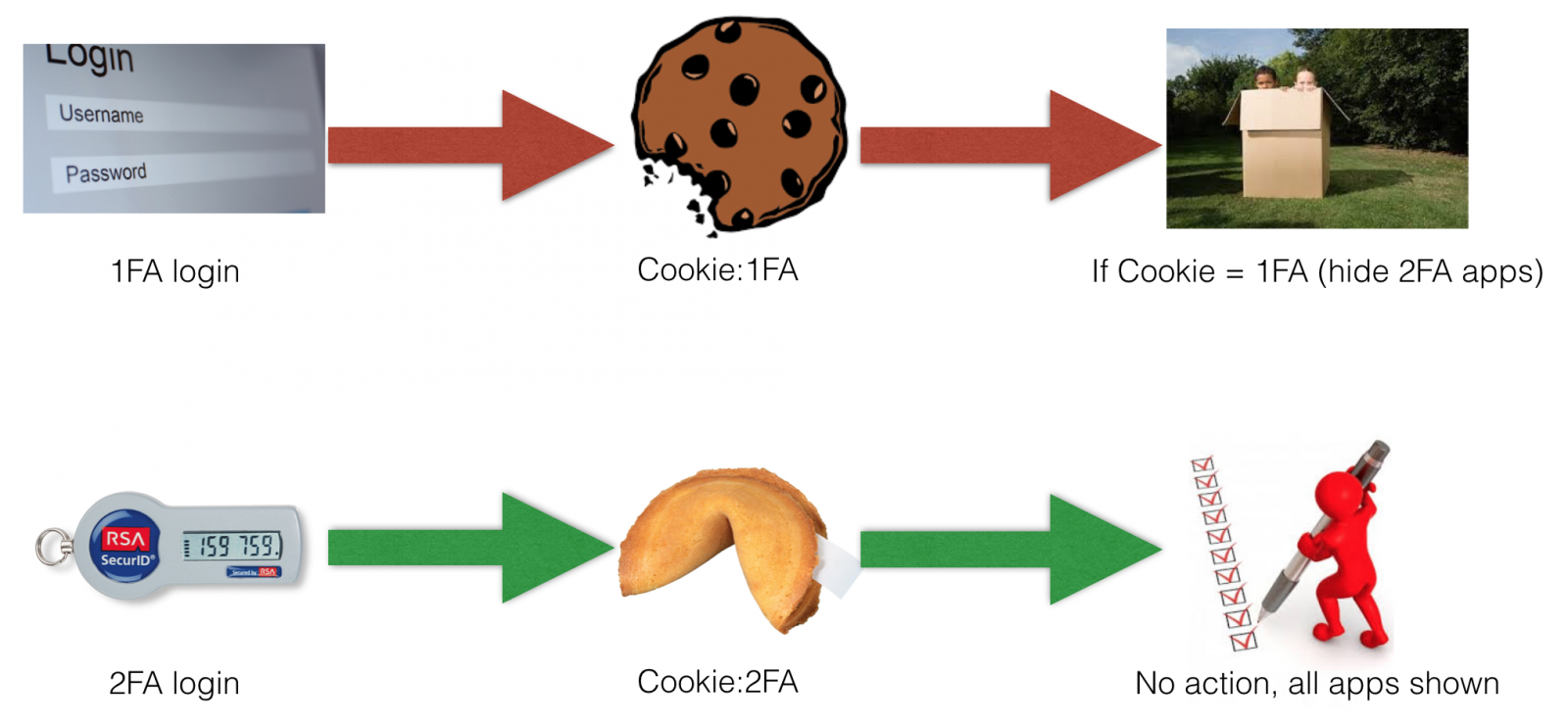
It’s pretty damn simple. Look that a specific cookie has a specific value and if it does NOT have that value, exclude the app(s) from being shown.
So the role of the Netscaler here is when the user logs on, it will write a cookie based on the authentication. Our Storefront script will check for the value of that cookie. If the cookie contains our known value then we iterate through all applications and look for some unique text we’ve set in the application description field (this works with both XenApp 6.5 and 7.X) and hide those applications. For my example, I’ve added “ 2FA” to the application description field for the applications I want excluded from single-factor authentication. Note: I’ve required a ‘space’ before the characters 2FA.
//get cookies function
function getCookie(name) {
    var results = document.cookie.match('(^|;) ?' + name + '=([^;]*)');
    return results ? unescape(results[2]) : null;
}

var logonmethod = getCookie("logonmethod");

if (logonmethod == "1FA") {
	CTXS.Extensions.excludeApp = function(app) {
		//do a javascript search for our text.
		//if the text is found then the value of "findme" will be > 1. If it"s not found then it will be -1.
		var findme = app.description.search(" 2FA");
		if (findme != -1) {
			CTXS.trace("hiding app from 1FA:" + app.description);
			return true;
		}
	};
}
And that’s it! A deliciously simple addition to \custom\script.js.