David Falkus just posted a blog post on using Powershell to combine multiple AppV5 logs into a single view and orders them chronologically so you can see the events as they occurred.
Since this was a PowerShell script we can use ControlUp to import it, tweak it to accept some server variables and then get the output back to us. Here is a video of this in action:
Here is the recipe for it:
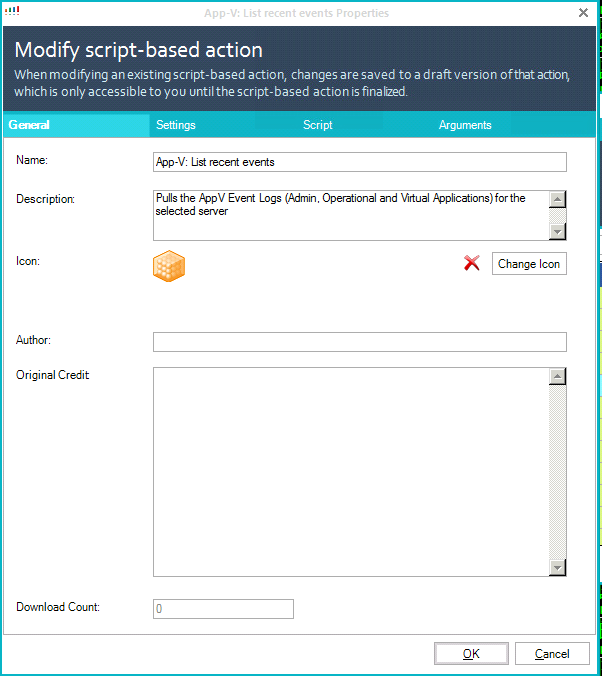
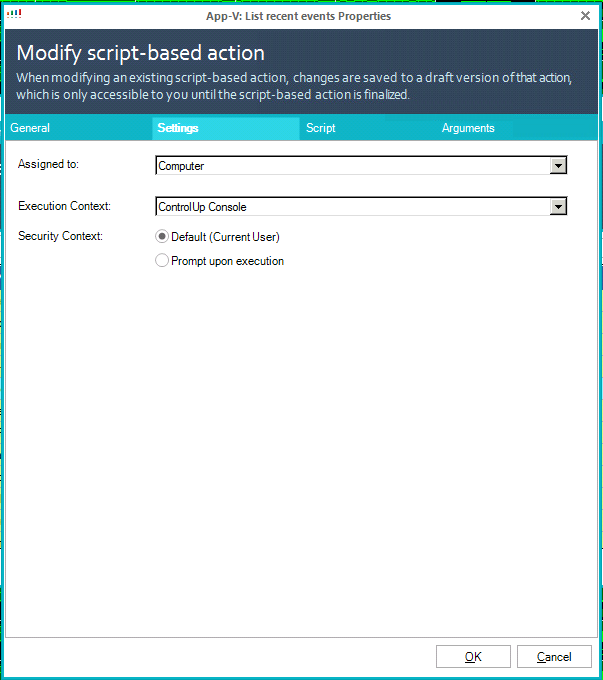
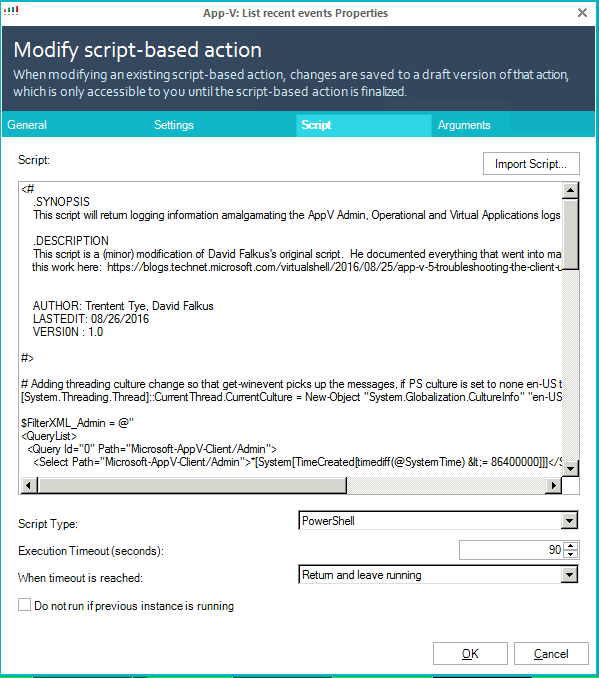
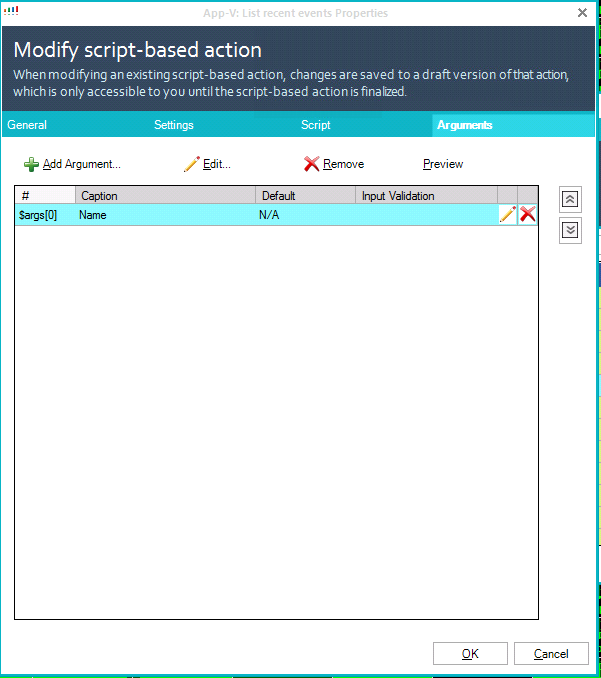
And the script:
<#
    .SYNOPSIS
    This script will return logging information amalgamating the AppV Admin, Operational and Virtual Applications logs.

    .DESCRIPTION
    This script is a (minor) modification of David Falkus's original script.  He documented everything that went into making
    this work here:  https://blogs.technet.microsoft.com/virtualshell/2016/08/25/app-v-5-troubleshooting-the-client-using-the-event-logs/


    AUTHOR: Trentent Tye, David Falkus
    LASTEDIT: 08/26/2016
    VERSI0N : 1.0

#>

# Adding threading culture change so that get-winevent picks up the messages, if PS culture is set to none en-US then the script will fail
[System.Threading.Thread]::CurrentThread.CurrentCulture = New-Object "System.Globalization.CultureInfo" "en-US"

$FilterXML_Admin = @"
<QueryList>
  <Query Id="0" Path="Microsoft-AppV-Client/Admin">
    <Select Path="Microsoft-AppV-Client/Admin">*[System[TimeCreated[timediff(@SystemTime) <= 86400000]]]</Select>
  </Query>
</QueryList>
"@

Try {
    $GWE_All = Get-WinEvent -FilterXml $FilterXML_Admin -ComputerName $args[0] -ErrorAction SilentlyContinue
} Catch {
    # capture any failure and display it in the error section, then end the script with a return
    # code of 1 so that CU sees that it was not successful.
    Write-Error "Unable to connect remotely to server to pull the event log" -ErrorAction Continue
    Write-Error $Error[1] -ErrorAction Continue
    Exit 1
}

$FilterXML_Operational = @"
<QueryList>
  <Query Id="0" Path="Microsoft-AppV-Client/Operational">
    <Select Path="Microsoft-AppV-Client/Operational">*[System[TimeCreated[timediff(@SystemTime) <= 86400000]]]</Select>
    <Suppress Path="Microsoft-AppV-Client/Operational">*[System[(EventID=101 or EventID=102 or EventID=14023 or EventID=14024 or EventID=14025 or EventID=14026)]]</Suppress>
  </Query>
</QueryList>
"@

Try {
    $GWE_All += Get-WinEvent -FilterXml $FilterXML_Operational  -ComputerName $args[0] -ErrorAction SilentlyContinue
} Catch {
    # capture any failure and display it in the error section, then end the script with a return
    # code of 1 so that CU sees that it was not successful.
    Write-Error "Unable to connect remotely to server to pull the event log" -ErrorAction Continue
    Write-Error $Error[1] -ErrorAction Continue
    Exit 1
}

$FilterXML_VirtApps = @"
<QueryList>
  <Query Id="0" Path="Microsoft-AppV-Client/Virtual Applications">
    <Select Path="Microsoft-AppV-Client/Virtual Applications">*[System[TimeCreated[timediff(@SystemTime) <= 86400000]]]</Select>
  </Query>
</QueryList>
"@

Try {
    $GWE_All += Get-WinEvent -FilterXml $FilterXML_VirtApps  -ComputerName $args[0] -ErrorAction SilentlyContinue
} Catch {
    # capture any failure and display it in the error section, then end the script with a return
    # code of 1 so that CU sees that it was not successful.
    Write-Error "Unable to connect remotely to server to pull the event log" -ErrorAction Continue
    Write-Error $Error[1] -ErrorAction Continue
    Exit 1
}

$GWE_All = $GWE_All | sort TimeCreated -Descending

#################
# Out-GridView
#################

$GWE_All | select TimeCreated,Id,LogName,TaskDisplayName,LevelDisplayName,Message | Out-GridView -Title $args[0] -Wait