Apparently this is a fun topic. How do you sequence Oracle 11G R2 on AppV5?
I believe I have an answer. In my attempts to sequence Oracle 11G on AppV5 I came across a few issues and have come up with solutions that work for various applications that rely on this tool.
The first issue:
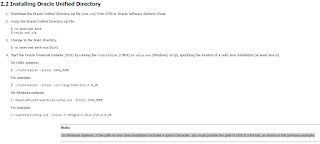
Oracle 11G only allows paths without spaces and special characters.
|
| On Windows systems, if the path to your Java installation includes a space character, you must provide the path in DOS 8.3 format, as shown in the previous example. |
This *maybe* fixed now, but I experienced issues with trying to install Oracle 11g to the 8.3 folder structure to place it under “Program Files” or “Program Files (x86)”. The sequenced application would be broken. This was a known/reported issue with AppV 5SP2 HF4 that was marked as ‘fixed’ by Microsoft for SP3+. I have not had the ability to confirm that and will continue this post with what I know works… I also believe that when expanded out it uses the full path with spaces as opposed to the 8.3 path.
Second Issue:
Installing Oracle 11G to the default ‘recommended’ directory will fail if you move your PackageInstallationRoot to a different drive.

This is because the second folder (apps - in this example) is not tokenized. Forcing AppV5 to utilize the token “appvPackgeDrive” which can expand out differently then you expect, breaking the application.
Third Issue:
Cannot install to PVAD.
The reason I chose to NOT utilize PVAD is if you do then Oracle cannot be used in connection groups.
So how do you resolve all these issues and sequence Oracle 11G R2?
The direction I went was to ensure the directory I sequenced the installer to was a tokenized directory. It also needed to a directory that, when expanded in the virtualized environment, does not contain any spaces or special characters.
The list of directories AppV5 tokenize’s can be found in the AppV 5.0 Sequencing Guide.
I’ll list them here:
|
Known Folder Token
|
Known Folder Path
|
|
AccountPictures
|
C:UsersAppDataRoamingMicrosoftWindowsAccountPictures
|
|
Administrative Tools
|
C:UsersAppDataRoamingMicrosoftWindowsStart MenuProgramsAdministrative Tools
|
|
AppData
|
C:UsersAppDataRoaming
|
|
Application Shortcuts
|
C:UsersAppDataLocalMicrosoftWindowsApplication Shortcuts
|
|
Cache
|
C:UsersAppDataLocalMicrosoftWindowsTemporary Internet Files
|
|
CD Burning
|
C:UsersAppDataLocalMicrosoftWindowsBurnBurn
|
|
Common Administrative Tools
|
C:ProgramDataMicrosoftWindowsStart MenuProgramsAdministrative Tools
|
|
Common AppData
|
C:ProgramData
|
|
Common Desktop
|
C:UsersPublicDesktop
|
|
Common Documents
|
C:UsersPublicDocuments
|
|
Common Programs
|
C:ProgramDataMicrosoftWindowsStart MenuPrograms
|
|
Common Start Menu
|
C:ProgramDataMicrosoftWindowsStart Menu
|
|
Common Startup
|
C:ProgramDataMicrosoftWindowsStart MenuProgramsStartup
|
|
Common Templates
|
C:ProgramDataMicrosoftWindowsTemplates
|
|
CommonDownloads
|
C:UsersPublicDownloads
|
|
CommonMusic
|
C:UsersPublicMusic
|
|
CommonPictures
|
C:UsersPublicPictures
|
|
CommonRingtones
|
C:ProgramDataMicrosoftWindowsRingtones
|
|
CommonVideo
|
C:UsersPublicVideos
|
|
Contacts
|
C:UsersContacts
|
|
Cookies
|
C:UsersAppDataRoamingMicrosoftWindowsCookies
|
|
CredentialManager
|
C:UsersAppDataRoamingMicrosoftCredentials
|
|
CryptoKeys
|
C:UsersAppDataRoamingMicrosoftCrypto
|
|
Desktop
|
C:UsersDesktop
|
|
Device Metadata Store
|
C:ProgramDataMicrosoftWindowsDeviceMetadataStore
|
|
DocumentsLibrary
|
C:UsersAppDataRoamingMicrosoftWindowsLibrariesDocuments.library-ms
|
|
Downloads
|
C:UsersDownloads
|
|
DpapiKeys
|
C:UsersAppDataRoamingMicrosoftProtect
|
|
Favorites
|
C:UsersFavorites
|
|
Fonts
|
C:windowsFonts
|
|
GameTasks
|
C:UsersAppDataLocalMicrosoftWindowsGameExplorer
|
|
History
|
C:UsersAppDataLocalMicrosoftWindowsHistory
|
|
ImplicitAppShortcuts
|
C:UsersAppDataRoamingMicrosoftInternet ExplorerQuick LaunchUser PinnedImplicitAppShortcuts
|
|
Libraries
|
C:UsersAppDataRoamingMicrosoftWindowsLibraries
|
|
Links
|
C:UsersLinks
|
|
Local AppData
|
C:UsersAppDataLocal
|
|
LocalAppDataLow
|
C:UsersAppDataLocalLow
|
|
MusicLibrary
|
C:UsersAppDataRoamingMicrosoftWindowsLibrariesMusic.library-ms
|
|
My Music
|
C:UsersMusic
|
|
My Pictures
|
C:UsersPictures
|
|
My Video
|
C:UsersVideos
|
|
NetHood
|
C:UsersAppDataRoamingMicrosoftWindowsNetwork Shortcuts
|
|
Personal
|
C:UsersDocuments
|
|
PicturesLibrary
|
C:UsersAppDataRoamingMicrosoftWindowsLibrariesPictures.library-ms
|
|
Podcast Library
|
C:UsersAppDataRoamingMicrosoftWindowsLibrariesPodcasts.library-ms
|
|
Podcasts
|
C:UsersPodcasts
|
|
PrintHood
|
C:UsersAppDataRoamingMicrosoftWindowsPrinter Shortcuts
|
|
Profile
|
C:Users
|
|
ProgramFiles
|
C:Program Files
|
|
ProgramFilesCommon
|
C:Program FilesCommon Files
|
|
ProgramFilesCommonX64
|
C:Program FilesCommon Files
|
|
ProgramFilesCommonX86
|
C:Program Files (x86)Common Files
|
|
ProgramFilesX64
|
C:Program Files
|
|
ProgramFilesX86
|
C:Program Files (x86)
|
|
Programs
|
C:UsersAppDataRoamingMicrosoftWindowsStart MenuPrograms
|
|
Public
|
C:UsersPublic
|
|
PublicAccountPictures
|
C:UsersPublicAccountPictures
|
|
PublicGameTasks
|
C:ProgramDataMicrosoftWindowsGameExplorer
|
|
PublicLibraries
|
C:UsersPublicLibraries
|
|
Quick Launch
|
C:UsersAppDataRoamingMicrosoftInternet ExplorerQuick Launch
|
|
Recent
|
C:UsersAppDataRoamingMicrosoftWindowsRecent
|
|
RecordedTVLibrary
|
C:UsersPublicLibrariesRecordedTV.library-ms
|
|
ResourceDir
|
C:windowsresources
|
|
Ringtones
|
C:UsersAppDataLocalMicrosoftWindowsRingtones
|
|
Roamed Tile Images
|
C:UsersAppDataLocalMicrosoftWindowsRoamedTileImages
|
|
Roaming Tiles
|
C:UsersAppDataLocalMicrosoftWindowsRoamingTiles
|
|
SavedGames
|
C:UsersSaved Games
|
|
Searches
|
C:UsersSearches
|
|
SendTo
|
C:UsersAppDataRoamingMicrosoftWindowsSendTo
|
|
Start Menu
|
C:UsersAppDataRoamingMicrosoftWindowsStart Menu
|
|
Startup
|
C:UsersAppDataRoamingMicrosoftWindowsStart MenuProgramsStartup
|
|
System
|
C:windowssystem32
|
|
SystemCertificates
|
C:UsersAppDataRoamingMicrosoftSystemCertificates
|
|
SystemX86
|
C:windowsSysWOW64
|
|
Templates
|
C:UsersAppDataRoamingMicrosoftWindowsTemplates
|
|
User Pinned
|
C:UsersAppDataRoamingMicrosoftInternet ExplorerQuick LaunchUser Pinned
|
|
UserProfiles
|
C:Users
|
|
VideosLibrary
|
C:UsersAppDataRoamingMicrosoftWindowsLibrariesVideos.library-ms
|
|
Windows
|
C:windows
|
|
Custom Token
|
Custom Token Expansion
|
|
AppVAllUsersDir
|
C:UsersAll Users
|
|
AppVComputerName
|
-LT02
|
|
AppVCurrentUserSID
|
S-1-5-21-124525095-708259637-1543119021-705252
|
|
AppVEnvironmentVariableCommonProgramFiles
|
%commonprogramfiles%
|
|
AppVEnvironmentVariableProgramFiles
|
%ProgramFiles%
|
|
AppVPackageDrive
|
C:
|
|
AppVPackageRoot
|
C:AppInstallFolder
|
|
AppVSystem32Catroot
|
C:windowssystem32catroot
|
|
AppVSystem32Catroot2
|
C:windowssystem32catroot2
|
|
AppVSystem32DriversEtc
|
C:windowssystem32driversetc
|
|
AppVSystem32Driverstore
|
C:windowssystem32driverstore
|
|
AppVSystem32Logfiles
|
C:windowssystem32logfiles
|
|
AppVSystem32Spool
|
C:windowssystem32spool
|
And that's it!